
Slaide for iPhone, iPad and Android
Create, edit and present decks on your iPhone, iPad or Android device. Build a deck with the AI, manage themes, edit graphics, rehearse with Coach and share a link.
The Slaide mobile app puts the editor on your phone or tablet. You create, edit and present decks on the device, with no account and no network. The app is the same on iOS and Android.
- iPhone and iPad: get the app from the App Store. The app needs iOS 18 or later.
- Android phones and tablets: get the app from Google Play.
For the screen-by-screen walk through, see the Tutorial.
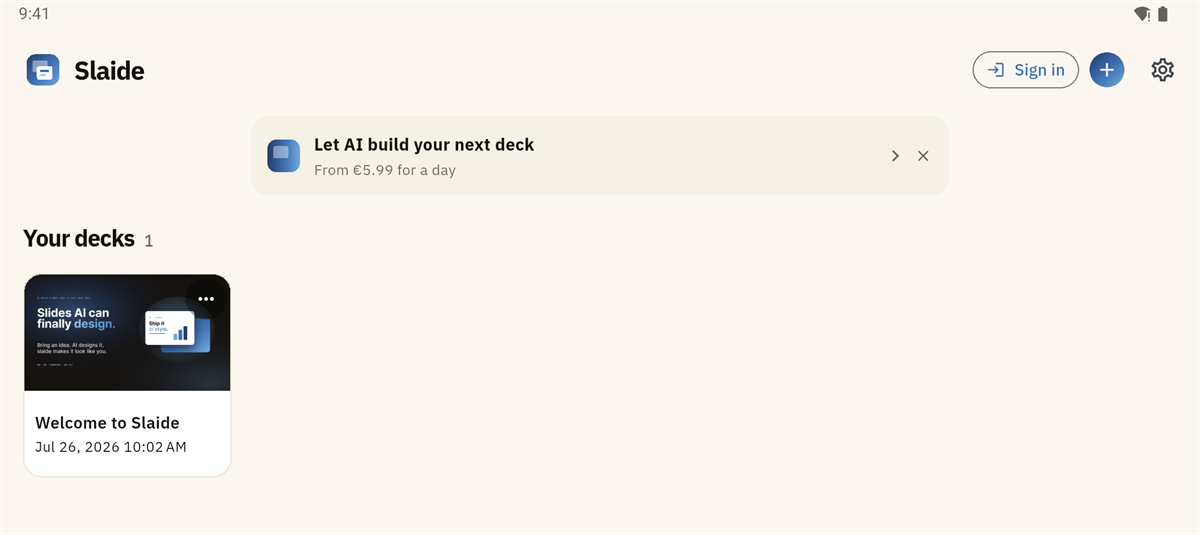
Make a deck
- Open the app. On first run, a short sheet asks what you want to do.
- Tap + in the library.
- Choose Start with AI, Blank deck, Example deck or Import file (.slaidec / .pptx).
With Start with AI, choose a new theme or reuse one you already have, then write your brief. See Build a deck with the AI. PowerPoint import asks you to sign in to a free account.
Edit a deck
Tap Edit. Editing is free and runs on the device.
- On an iPad in landscape, the inspector sits in a rail beside the slide. In portrait, and on an iPhone, it sits below the slide.
- Tap a part of a graphic to select it. See charts and graphics.
- The bold, italic and underline buttons sit above the keyboard.
Manage themes
- In the library, switch from Decks to Themes.
- Tap a theme card to start a deck with it, edit it, rename it, set it as the default, or delete it.
- Tap + New theme to make a theme.
The theme editor shows virtual slides for Colours, Type, Header & footer and Animations, with the layouts as tiles. Open Properties to change a value. See Theme Studio.
Present
Tap Present for full screen. Present mode uses landscape. Swipe down to leave it.
Rehearse with Coach
Coach is in the app. See Coach. It works on the iPad in portrait and landscape.
Share and export
Tap the … menu on a deck and choose Export / Share…. You can export a .slaidec file, PowerPoint or PDF, or copy a share link for a cloud deck. See Sharing.
Plans
The AI is the paid part. Creating, editing and presenting are free. See the pricing section.