
Reviewing a Deck the Way You Review Code
Picture a reviewer leaving a comment on slide 14: “this number is wrong now, right?” The author fixed it two revisions ago and then sent an old export by mistake. The reviewer only caught it because he remembered the old figure. Nothing in the file told him a number had changed. In a binary deck, nothing could have.
What a deck review actually needs
Code review does three things without anyone thinking about it. You see what changed, line by line. You comment on one specific thing, attached to the line it is about. And you accept some of the changes and not others, so a review can end in “approved with two fixes” instead of “looks fine I guess.” A deck review needs the same three things and almost never gets them, because almost no slide tool was built for review. It was built for authoring, and reviewing got bolted on after.
Picture the actual review a deck needs before an investor meeting. Take the pricing fix, leave the headline change until legal signs off, and flag one slide where the number looks off without touching anything else. That is three separate decisions attached to three separate parts of the file. Most tools give you one bucket, a whole new copy of the deck to accept or reject, and no way to split the difference.
PowerPoint had an answer, and it is gone
PowerPoint’s version of this lives under Review, then Compare. Point it at a second copy of the file and it merges the two, opening a Slide Changes and Presentation Changes panel that lists what moved, what got added, what got deleted. Click an entry and you can keep the old version or take the new one, one change at a time, which is the closest any slide tool has come to “accept some, reject others.” It is the closest thing slides had to a real diff, and it was Windows desktop only. Microsoft’s support article says it was never in PowerPoint for Mac or the web.
Microsoft retired it. Per its own support article, Compare and Merge is gone from Microsoft 365 PowerPoint for Windows starting with version 2502, and it points to real-time online collaboration instead. A Microsoft Q&A answer from a Microsoft moderator confirms the removal and names no replacement feature. My view: real-time collaboration is not a diff.
Google Slides never had one
As far as I can find, Google Slides has no diff view. What it has is Version History, where you can add up to 40 named versions per document and restore an earlier one. That solves a different problem: it tells you a deck existed in some earlier state, not what changed between that state and this one. And Slides offers three modes: Editing, Commenting, and Viewing. Docs has a Suggesting mode, where a proposed edit sits in the file until someone accepts or rejects it. Slides has no equivalent. There is no way to propose a change to a slide that a co-editor can then accept or reject, only a comment sitting next to a slide that somebody still has to go make the edit for.
A comment thread is not a change. It tells a reader that something needs attention, it does not show them what the attention is about, and it does not let anyone approve or decline anything. Resolving a comment closes the conversation. It does not tell you whether the slide underneath it actually changed.
The text file answer, honestly scoped
If you write decks as plain text, the review problem mostly turns into a normal code review. A .slaide file is Markdown text, and the theme is a separate YAML file the deck references, so git diff shows exactly the line that changed:
-Team: $99/mo, up to 25 seats
+Team: $79/mo, up to 25 seats
That is a real diff, attached to a real line, in a pull request where a comment lands on that exact line and an approval is a real approval. It gets you all three things code review gets you. PowerPoint’s Compare did not give you a comment on a line, and Slides’ Version History gives you none of the three.
Here is the honest limit: a text diff shows you a changed word. It does not show you that the change pushed a line onto a second row and broke the slide. A one-word pricing fix can look harmless in the diff, run two characters longer than the old price, wrap onto a second line once rendered, and push the line underneath it off the bottom of the slide. The diff is clean. The slide is not. Nobody sees it until someone opens the PDF.
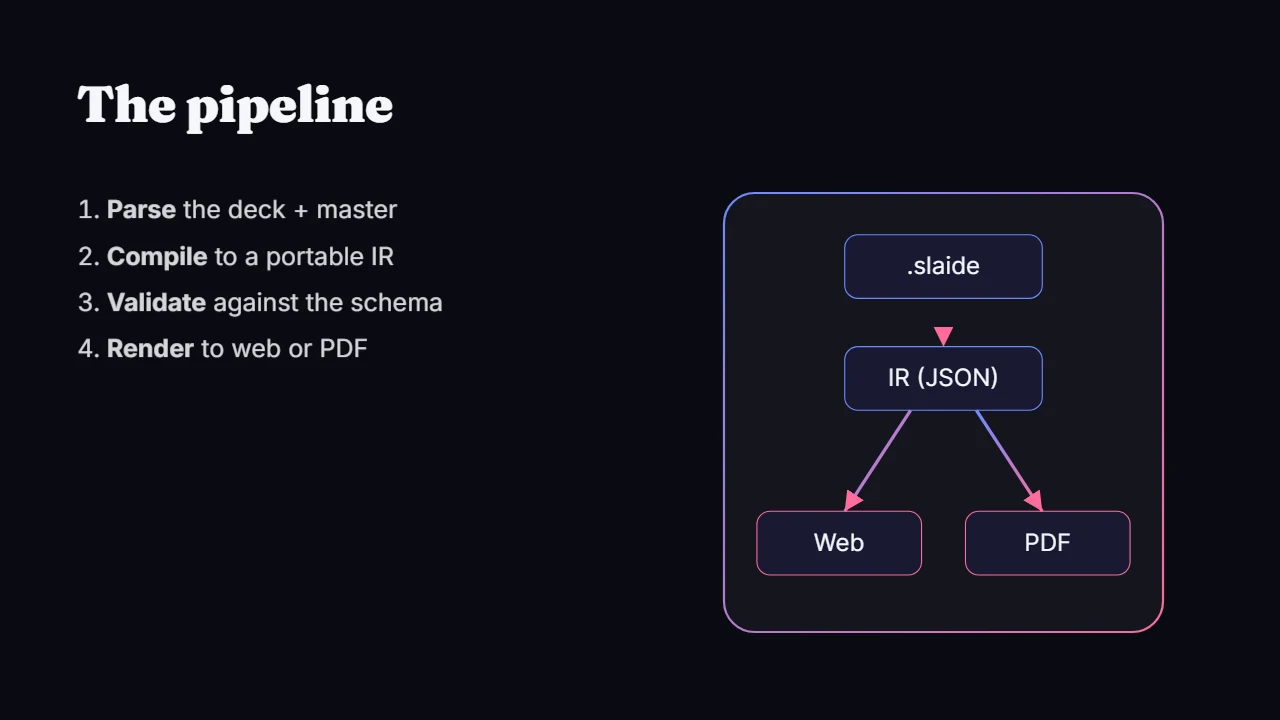
So a text diff is real progress over a wall of binary noise in a .pptx, or a support thread asking where a feature went. Slaide renders that same file to a web deck (slaide build) and a PDF (slaide export --pdf) from the CLI. My advice: render after every review, not just before the meeting. But the diff itself will never tell you on its own. Somebody still has to look at the actual slide.