

Slides by AI.
Rehearsed with Coach.
Describe your talk and AI builds the deck. Then say it out loud. Coach tells you what you missed.




Here is what happens
after you hit send.
You say what the deck is for. It plans the story, draws a theme made for that deck, writes every slide, then checks its own work. Each stage lands in front of you, and you can keep typing to steer it while it runs.
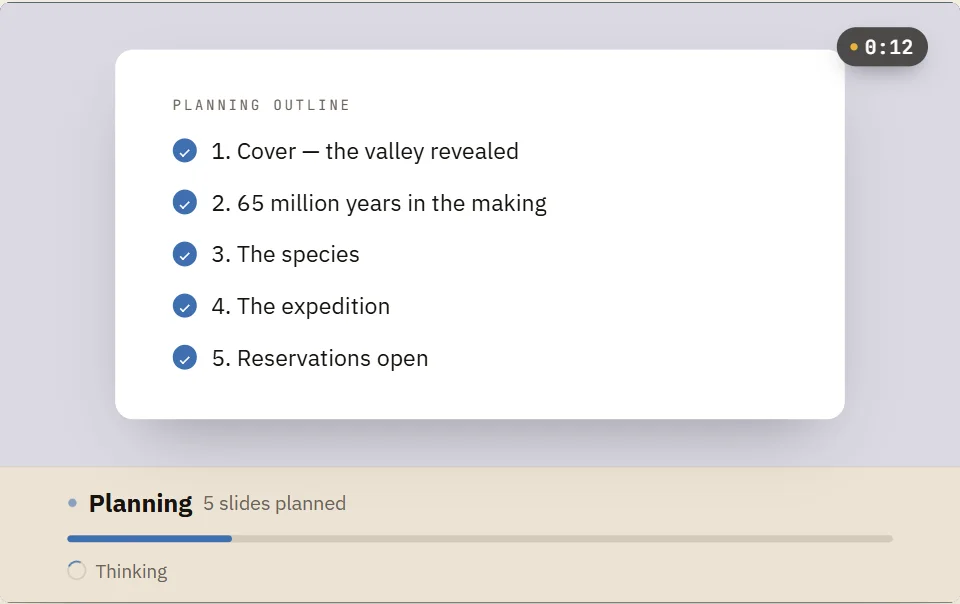
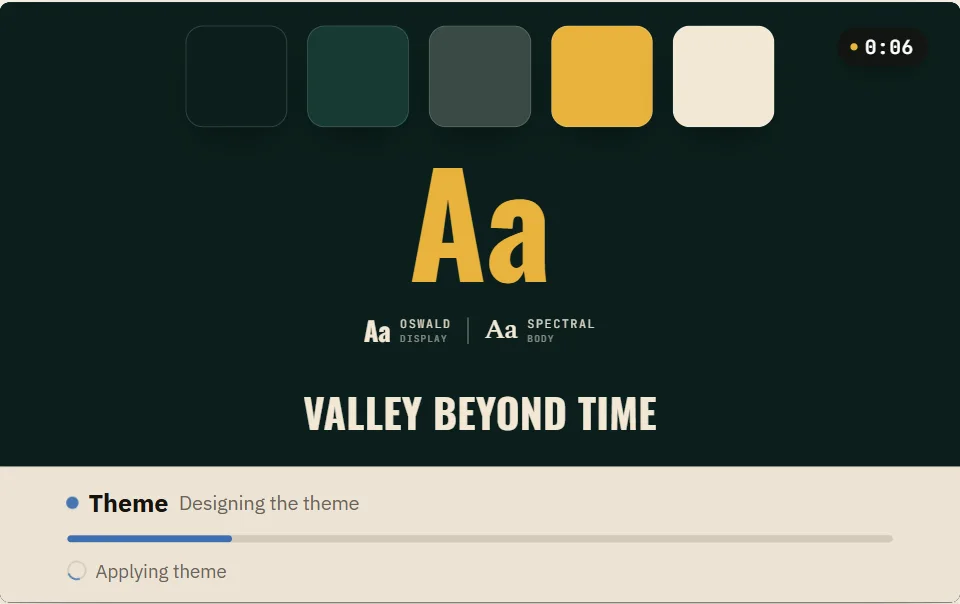
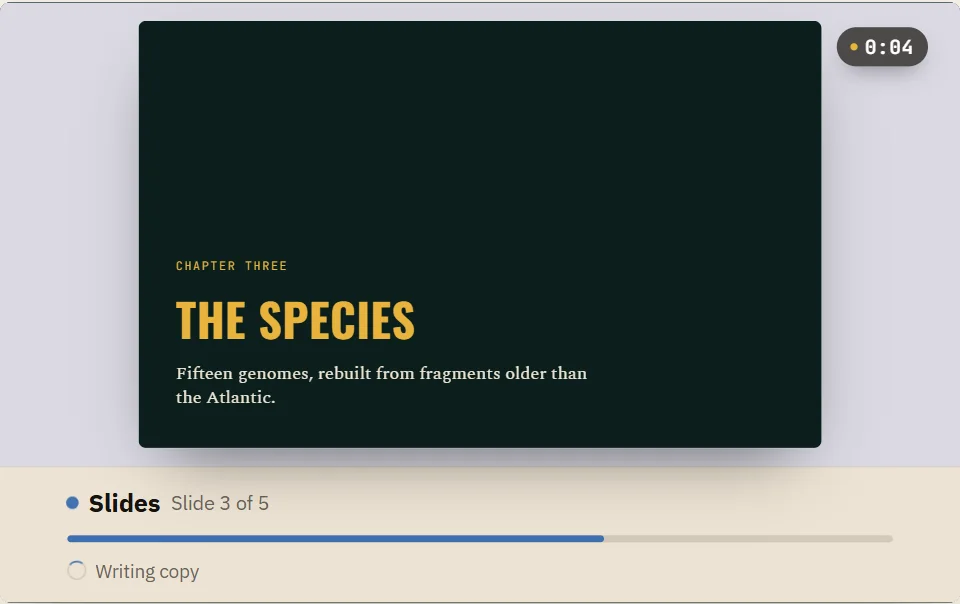
Panels 1 to 3 are real frames from the build view. Panel 4 is the deck they made, running live.
The first one from our cloud AI costs nothing. See what it costs after that.
Works on the web,
your phone and your desktop.
All four run the same engine, so a deck looks identical wherever you open it. Every one is free. The only paid part is our cloud AI - and if you bring your own, even that is free.
Ask on your phone.
Present from it too.
Describe the deck and it gets built right there, the same four stages you get on the desktop. Then turn the phone sideways and present from it. The deck below is the real viewer, running a real deck. The engine ships inside the app, so once a deck exists you can open it, edit it and present it with no signal at all.
- ✓ Nothing to sign up for. Open the app and make a deck.
- ✓ Edit on the slide. Tap any element and change it with your thumb.
- ✓ Present from the phone - offline, or pick the deck back up on your laptop.
- ✓ Free on the App Store and Google Play. The app costs nothing; only cloud AI is paid.




Say it out loud.
The coach listens.
Coach takes you through your deck one slide at a time. You speak, it listens, and you get one note back. Open it next to Slides and Theme in the web app, or on your iPhone.
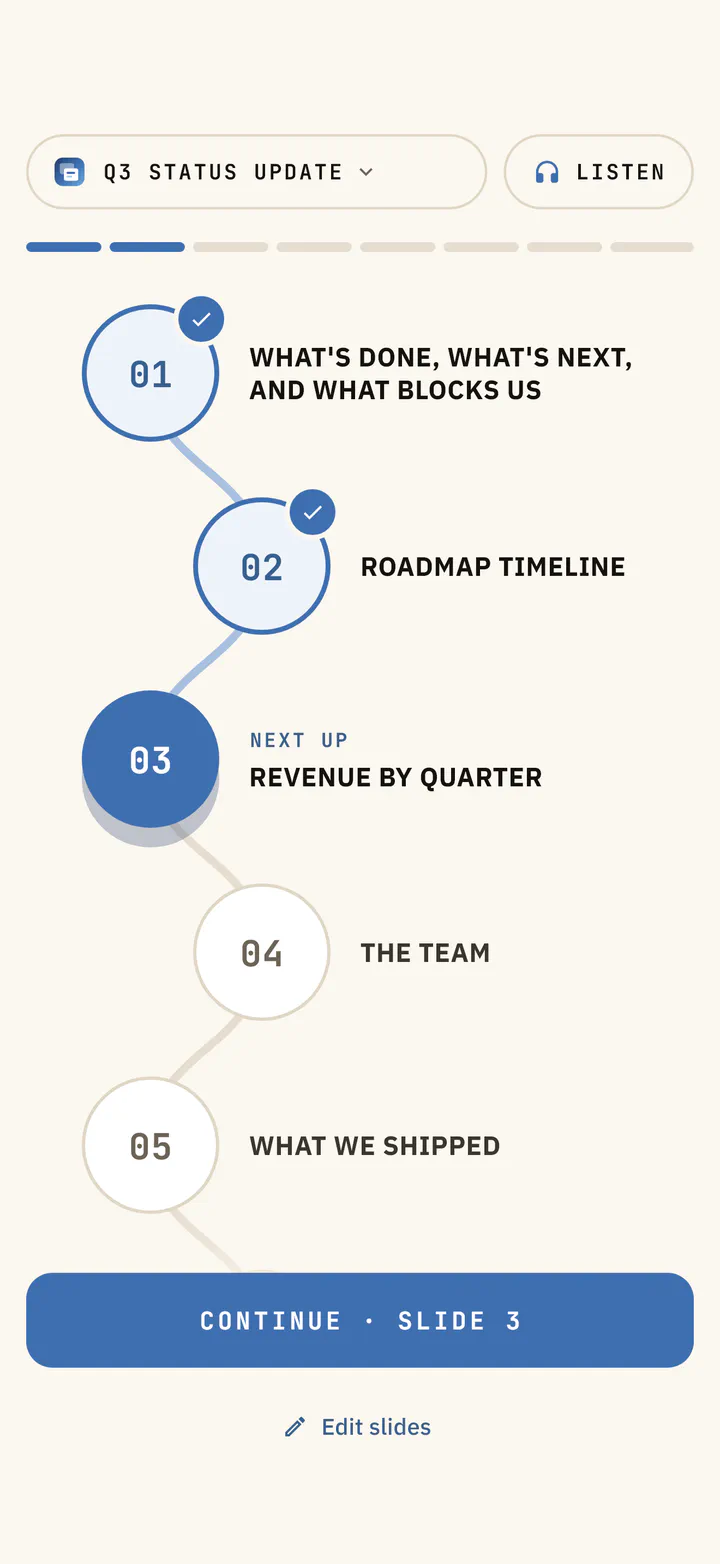
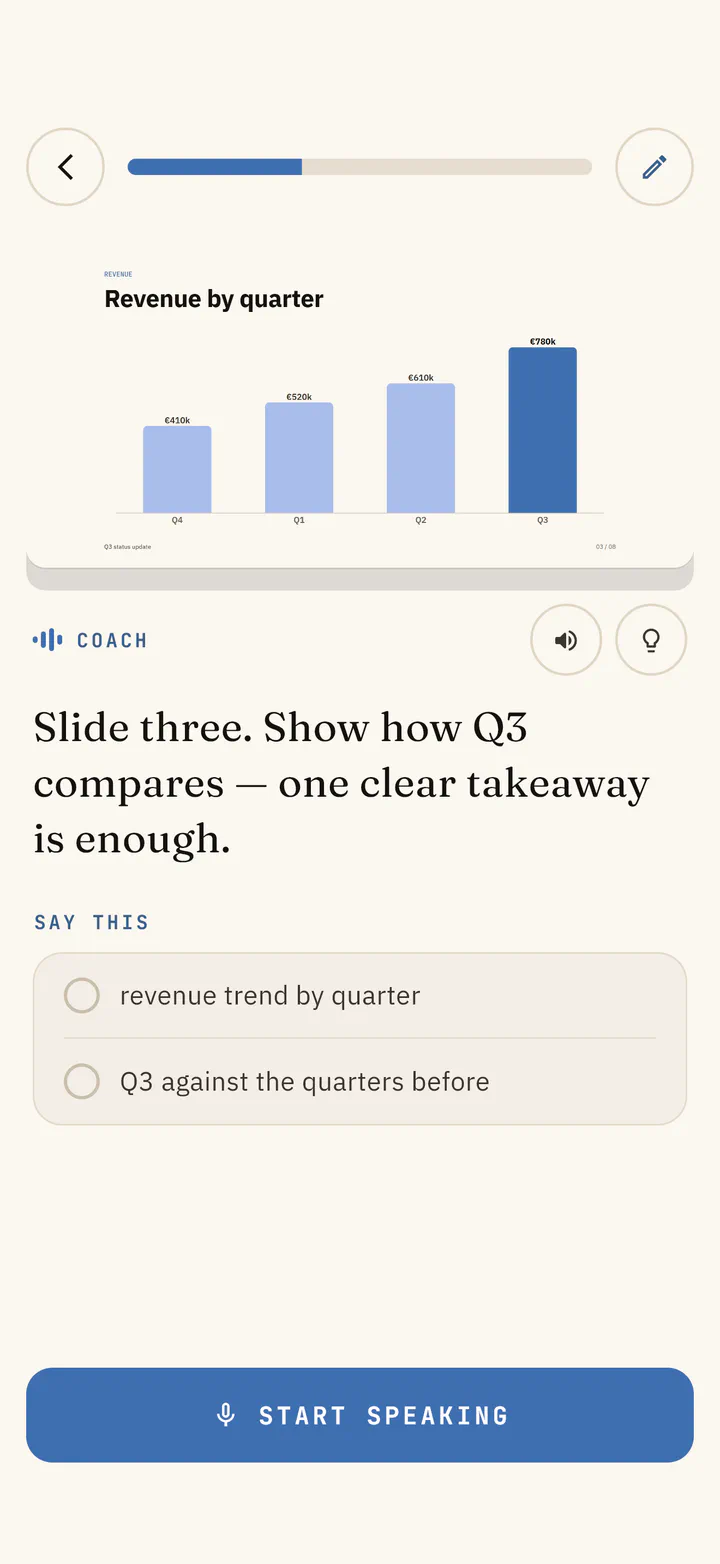
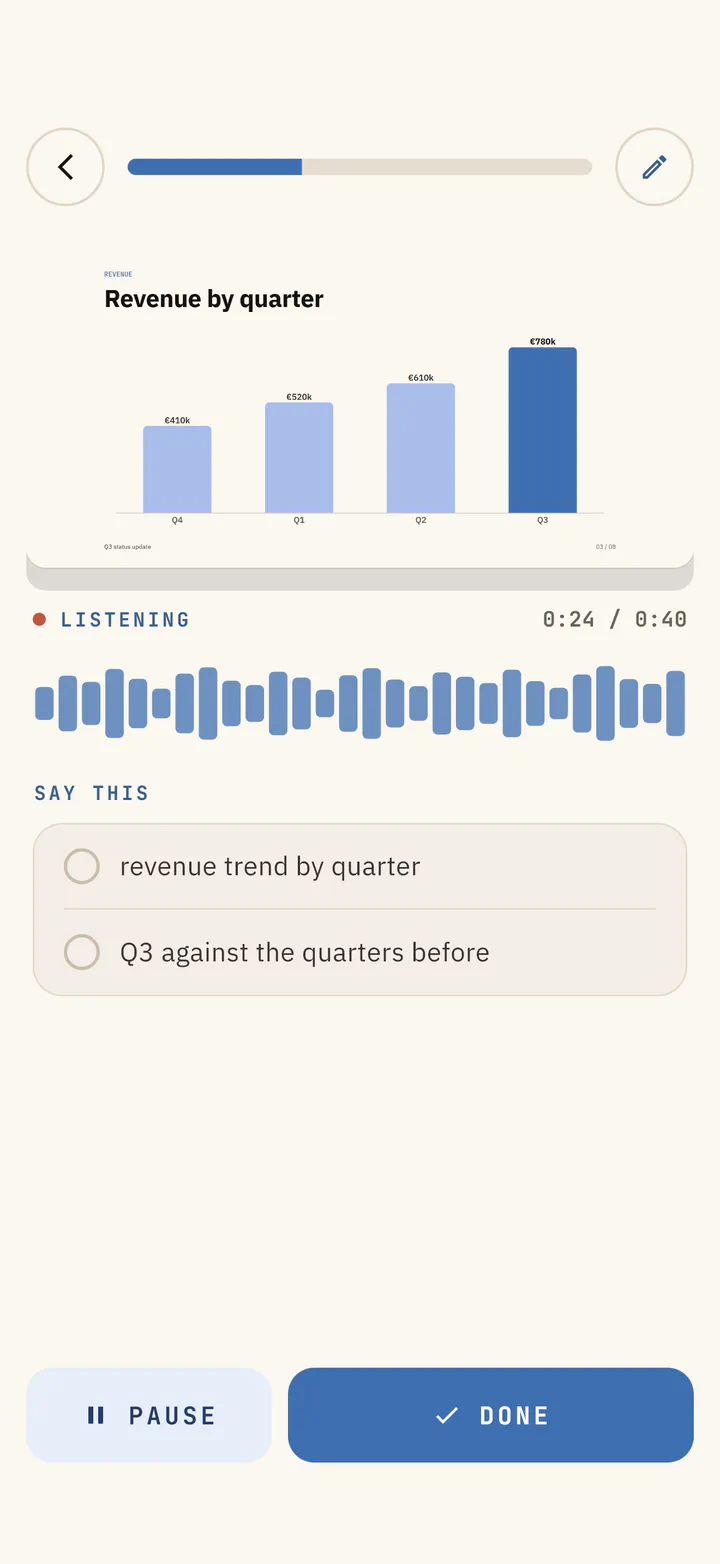
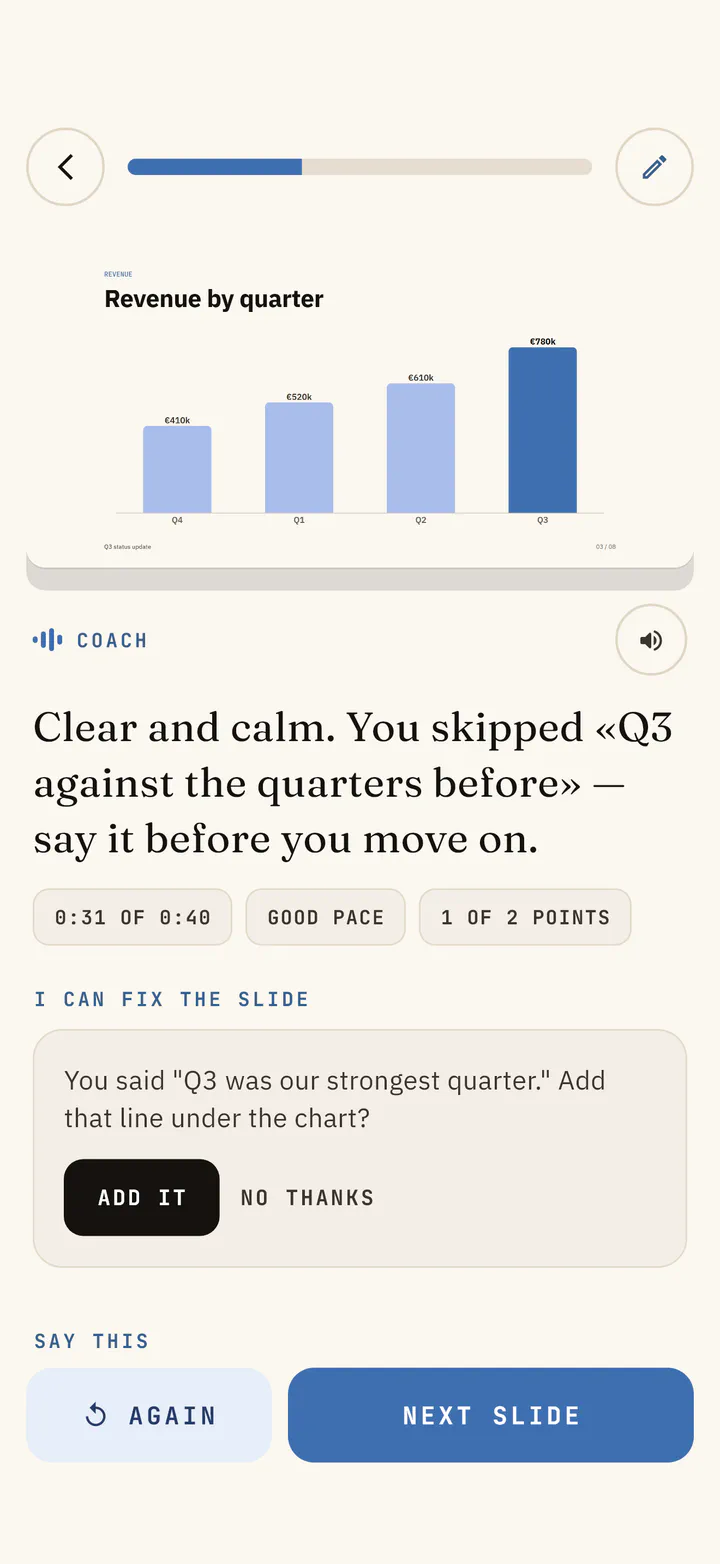
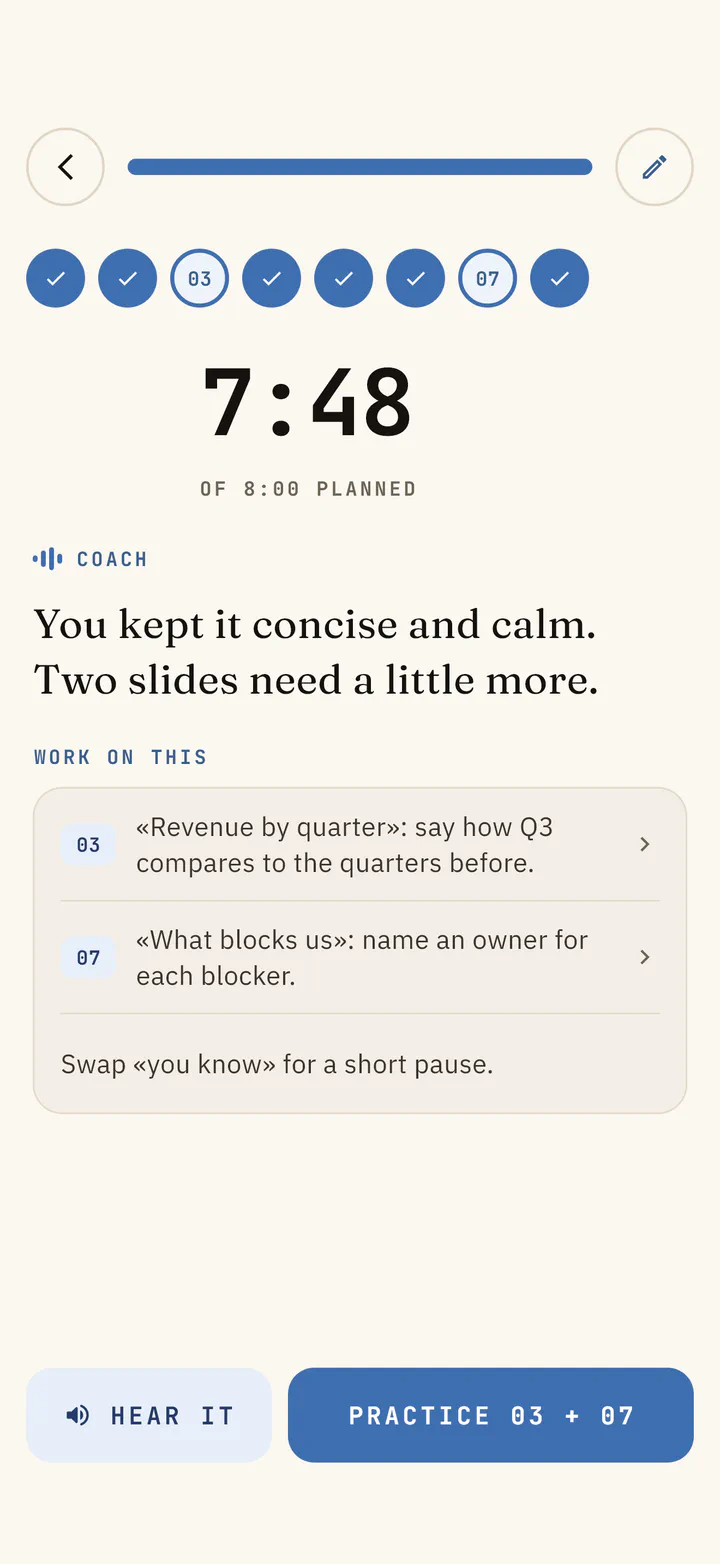
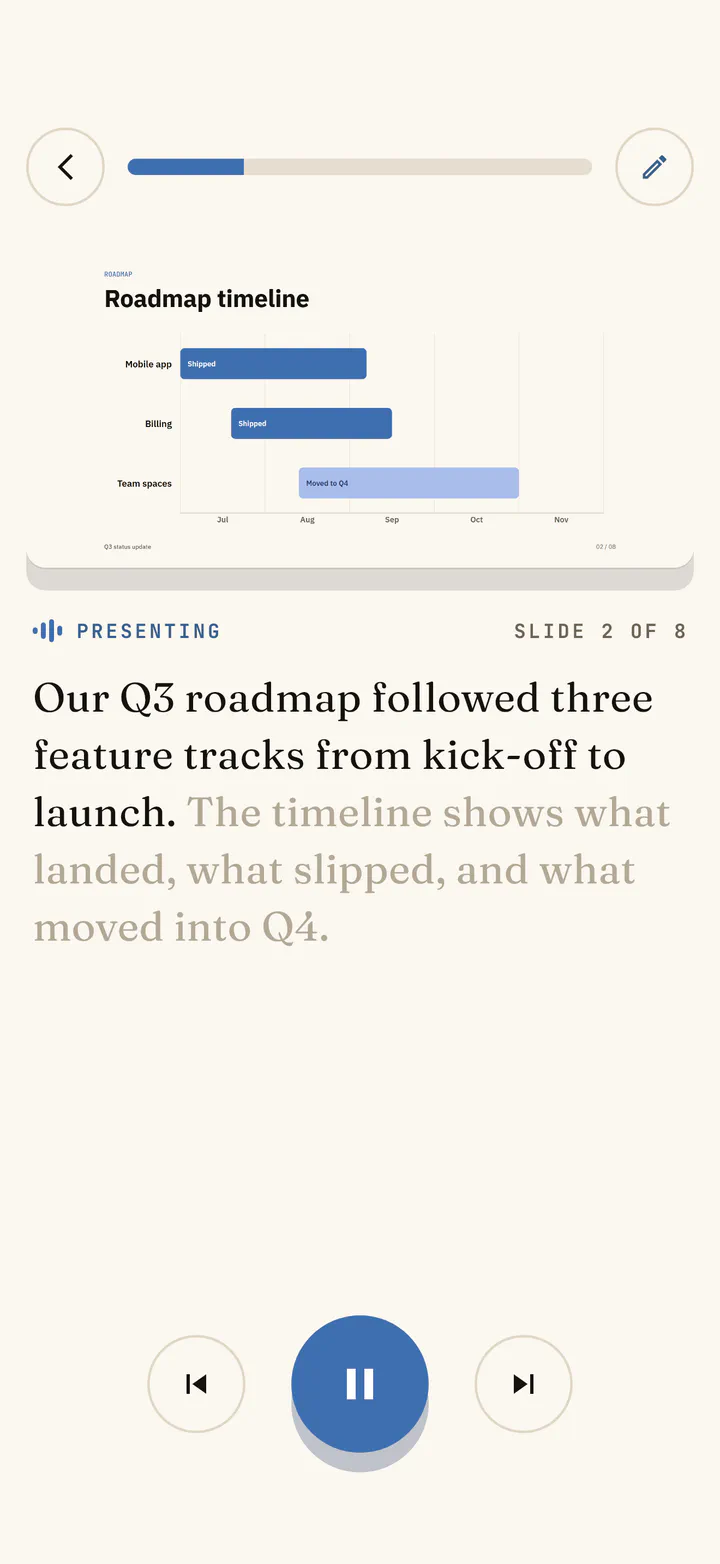
Your talk becomes a path Each slide is a step. The slides you have rehearsed stay checked, and the next one is ready for you.
Listen mode and the timer are free. Spoken briefs, notes and slide fixes need a Slaide plan.
See Coach step by step →Nothing here
is a picture.
Each panel below is a whole deck running in the viewer, rendered from its own plain-text .slaide file. Click one and flip through it.
Everything you need
is already in there.
Bring the decks you already have, and take the new ones anywhere. Slaide is a place to make a deck, not a place your decks get stuck.
Import your .pptx
Convert existing PowerPoint or Keynote into editable .slaide - text, positions, fonts, colors, images and tables.
Agent Skill + MCP
A first-class skill and MCP server, so AI authors, validates and renders on its own.
Export editable .pptx
Round-trip back out with real text boxes, shapes and images - not flat pictures.
Speaker notes & presenter view
Write ??? note beside any slide - it shows in the presenter overlay, never to the room or the PDF.
Checked before it renders
slaide validate --strict returns structured diagnostics with the slide, the line and the fix - so the AI repairs its own deck.
Builds, motion & media
Incremental reveals, fade / slide / shared-element morph transitions, video, audio and sandboxed live embeds - all from text.
Coach
Rehearse a talk slide by slide, out loud. Spoken feedback on timing and pace, or Listen mode reads the deck back to you hands free.
The editor is free.
Our AI is the upgrade.
Make and edit decks free, everywhere. Drive it with your own agent and that is free too.
Pay only when our cloud AI does the work - for a day, or every day.
No credit card required.
- ✓ The full visual editor - desktop, web & iPhone
- ✓ Hi-fi PowerPoint import & export
- ✓ Open core: language, CLI & viewer (Apache-2.0)
- ✓ Unlimited decks from your own agent - Claude Code, Codex, Cursor
- ✓ Your first cloud-AI deck free, up to 10 slides
24 hours of AI.
- ✓ The AI designs your decks in the browser
- ✓ 4 AI decks in 24 hours
- ✓ Nothing to install
- ✓ No subscription
Launch price, limited time.
- ✓ 10 AI decks a month
- ✓ Cloud sync & share from the web
- ✓ Everything in Free
These are web prices, in USD, excl. tax (EUR at checkout). Day Pass & Hosted live at app.getslaide.com.
* Buying inside the iPhone or iPad app costs a little more. Apple takes a cut of every App Store purchase, so the web is the cheaper way in.
That is the product.
Here is what is inside.
Everything above is what you get. Everything below is how it works: the file a deck really is, the language that draws it, the CLI, the agent. You never need a word of it to make a deck. It is here because some people want to look under the lid before they trust a tool - and because all of it is open.
The problem was never the AI.
It was the file.
You never needed a smarter model - AI already writes a great deck; the intelligence was never the bottleneck. The format is. Ask a model for a deck and it chokes on .pptx - megabytes of brittle XML - so you get broken layouts and walls of bullet points.
Slaide flips it: Markdown for the words, a tiny YAML theme for the design - ~10 KB the same model gets right the first time. Same slide, both ways:
- ✕ LLMs hallucinate the XML and corrupt the file
- ✕ Design and content tangled together
- ✕ Diffs are unreadable, versioning is hopeless
- ✓ Models write it right the first time
- ✓ Content is Markdown; the theme carries design
- ✓ Clean text diffs - review a deck like code
A Slaide deck is just three text files.
Your content in one file, the design in another, and an optional bundle that carries both anywhere. All of it text you can read, diff and own.
The deck
Markdown for the words plus a tiny YAML header. Slides split on ---; :: name :: routes content into the theme’s layout slots. This is what you - or the AI - write.
The theme
One reusable YAML master holds every design decision - fonts, color roles, gradients and the grid of each layout, all as named data. Point master: at it to restyle a whole deck.
The shareable file
Deck, master and every asset zipped into one self-contained .slaidec. Tiny, portable and offline-ready - hand someone a single file and it just opens.
Type on the left.
See the slide on the right.
No hand-placed boxes. Route Markdown into named layout slots; the theme handles type, color, grid and motion. The web deck and the PDF render from this exact text - they can't drift.
Ship it in style with zero pixels placed by hand.
Edit the text - the slide re-renders live. A faithful preview of core Slaide syntax; the CLI renders the full language.
What else you can write
transition: morphTransitionsFade, slide, zoom and shared-element morph between slides.- point >>>Builds & motionIncremental reveals with named entrance animations and timing.:: title ::Layouts & slotsRoute Markdown into named slots - cover, statement, two-col and your own.[text]{.grad}Inline stylingTheme classes for gradient fills, colour, weight and type scale.Images & mediaImages, video, audio and full-bleed backgrounds - inlined for one portable file.??? noteSpeaker notesNotes show in the presenter overlay, never in the deck or the PDF.```embedEmbeds & widgetsSandboxed iframes for YouTube, Figma and live HTML/JS - themed automatically.```svgInline SVGVector art that inherits the theme’s colours viacurrentColor.master: ./theme.yamlThemesFonts, colours, gradients and layouts as named YAML - swap one line to restyle.
Let your own AI
build the decks.
Your editor already knows how.
Install the Agent Skill and your own model builds the deck, with no browser involved. It writes the same file the apps write, so the two paths never fight - and it costs you nothing, because you already pay for the agent.
- ✓ Free, with no limit. Your agent does the work, so there is nothing to pay us
- ✓ Agent Skill for Claude Code and Codex, plus an MCP server
- ✓ It renders the deck to a PNG and reads it back, then fixes clipped text and weak contrast on its own
- ✓ It validates as it writes, so a broken deck never reaches you
› make a 6-slide pitch for Acme

  → writing acme.slaide
  ✓ validate · 0 errors
  ✓ shoot · sheet.png → read it
  ✎ fixed clipped title · slide 3
  ✓ export · acme.pdf + .pptx
done in 5.1s · 8.7 KB source
›
.slaide file. Start on one, finish on the other.The core is open source.
Take it and build on it.
The language, CLI, themes, importers and MCP server are Apache-2.0 - fork them, extend them, ship with them. Your decks stay plain text you own, in a format that isn't going anywhere.
- ✓ Apache-2.0 core - fork it, extend it, ship it
- ✓ Plain-text decks you own - no proprietary lock-in
- ✓ Open desktop viewer - open & present any deck for free
$ npx @aivorynet/slaide new talk.slaideYour next deck is
one sentence away.
Describe it, watch it get built, and walk out with a PowerPoint or a PDF. The first one is free.
no credit card · free forever on every device · your decks stay yours
Your audience gives talks? Partner program: 20% off for them, 35% for you →